How to Prioritize UI/UX Design Elements for Maximum Impact
When it comes to creating a successful website or app, the user interface (UI) and user experience (UX) design are crucial components. Good design can make or break a user’s interaction with your product, so it’s essential to prioritize the right elements for maximum impact. In this article, we’ll discuss some key strategies for prioritizing UI/UX design elements to create a seamless and engaging user experience.
Understand Your Users
The first step in prioritizing UI/UX design elements is to understand your target audience. Conduct user research to identify their needs, preferences, and pain points. By gaining insight into your users’ behaviors and motivations, you can tailor your design to meet their expectations and create a more intuitive and user-friendly experience.
Focus on Key Interactions
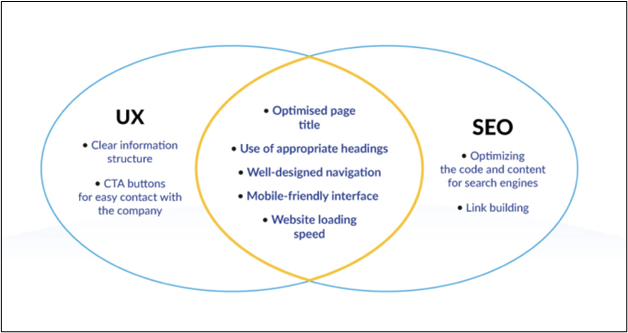
Not all design elements are created equal. Some interactions are more critical to the user experience than others. When prioritizing UI/UX design elements, focus on key interactions that are essential for users to achieve their goals. For example, prioritize elements such as navigation menus, call-to-action buttons, and form fields that users need to interact with to complete tasks on your website or app.
Simplify the Design
One of the most important principles of good UI/UX design is simplicity. Cluttered and confusing design can frustrate users and lead to high bounce rates. Prioritize simplicity by removing unnecessary elements, reducing visual noise, and focusing on clear and concise communication. Keep your design clean and minimal to enhance usability and create a more seamless user experience.
Prioritize Accessibility
Accessibility is a crucial consideration in UI/UX design. Prioritize design elements that make your website or app accessible to all users, including those with disabilities. Ensure that your design is readable, navigable, and interactive for users with different abilities and devices. Implement features such as alt text for images, resizable text, and keyboard navigation to enhance accessibility and usability for all users.
Test and Iterate
Finally, prioritize testing and iteration to refine your UI/UX design. Conduct usability tests to gather feedback from real users and identify areas for improvement. Use A/B testing to compare different design elements and determine which ones have the most significant impact on user behavior. Continuously iterate on your design based on user feedback and data to create a more engaging and effective user experience.
Conclusion
Prioritizing UI/UX design elements is essential for creating a successful website or app that delivers a seamless and engaging user experience. By understanding your users, focusing on key interactions, simplifying the design, prioritizing accessibility, and testing and iterating, you can create a design that maximizes impact and enhances user satisfaction. Follow these key strategies to prioritize UI/UX design elements effectively and create a design that resonates with your target audience.