SEO Web Design: How to Optimize for Search Engines
Having a visually appealing website is important, but if your site isn’t optimized for search engines, it may not be reaching its full potential. SEO web design is crucial for improving your website’s visibility and ranking on search engine results pages.
1. Choose the Right Keywords
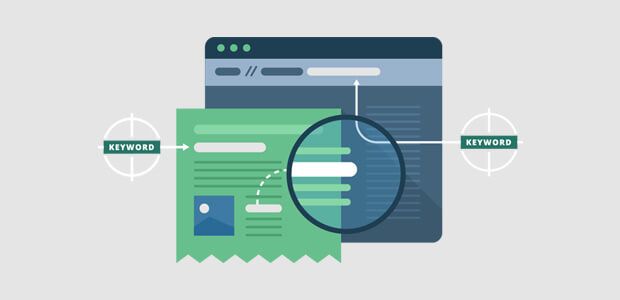
Keywords are the foundation of SEO, so it’s important to choose the right ones for your website. Conduct keyword research to identify the phrases and terms that your target audience is searching for. Use tools like Google Keyword Planner and SEMrush to find relevant keywords with high search volume and low competition.
2. Optimize Your Website’s Structure
Organize your website’s structure in a logical and user-friendly way. Create a clear navigation menu that makes it easy for visitors to find the information they’re looking for. Use descriptive URLs, headings, and meta tags to help search engines understand the content of each page.
3. Create Quality Content
Content is king when it comes to SEO. Create high-quality, relevant, and engaging content that provides value to your audience. Use keywords naturally throughout your content, but avoid keyword stuffing, as this can negatively impact your SEO efforts.
4. Optimize Your Images
Optimizing your images can improve your website’s loading speed and overall user experience. Use descriptive file names and alt text for your images, and compress them to reduce file size without sacrificing quality. This can help improve your website’s ranking in image search results.
5. Mobile-Friendly Design
With the increasing use of mobile devices, having a mobile-friendly website is essential for SEO. Make sure your website is responsive and adapts to different screen sizes. Test your website on various devices to ensure a seamless user experience for mobile users.
6. Improve Page Speed
Page speed is a critical ranking factor for search engines. Optimize your website’s loading speed by minifying CSS and JavaScript files, optimizing images, and leveraging browser caching. Use tools like Google PageSpeed Insights to identify and fix issues that are slowing down your website.
7. Use Schema Markup
Schema markup is a form of structured data that helps search engines understand the content on your website. Implementing schema markup can enhance your website’s appearance in search results and increase your chances of earning featured snippets. Use Google’s Structured Data Markup Helper to add schema markup to your website.
8. Monitor and Analyze Your Performance
Monitor your website’s performance regularly using tools like Google Analytics and Google Search Console. Keep track of your website’s traffic, rankings, and user behavior to identify areas for improvement. Use this data to refine your SEO strategy and make informed decisions for optimizing your website.
By following these SEO web design best practices, you can enhance your website’s visibility, attract more organic traffic, and improve your search engine rankings. Remember to stay up-to-date with the latest SEO trends and algorithms to ensure that your website remains competitive in the ever-evolving digital landscape.