UI/UX Design for E-commerce Websites
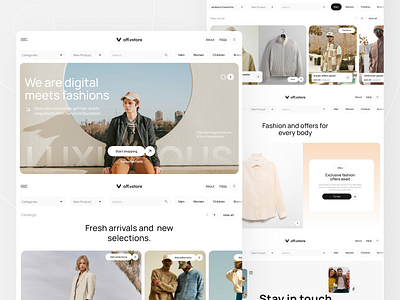
When it comes to e-commerce websites, having a great user interface (UI) and user experience (UX) design is crucial for attracting and retaining customers. A well-designed website not only looks visually appealing but also enhances the overall shopping experience for users, leading to increased conversions and sales.
Key Elements of UI/UX Design for E-commerce Websites
1. Responsive Design
With the increasing use of mobile devices for online shopping, it is essential for e-commerce websites to have a responsive design that adjusts to different screen sizes. This ensures that the website looks and functions well on any device, providing a seamless shopping experience for users.
2. Intuitive Navigation
Users should be able to easily find what they are looking for on an e-commerce website. Clear and intuitive navigation helps users explore different products and categories effortlessly, reducing the chances of them getting frustrated and leaving the site.
3. High-Quality Images and Videos
Visual content plays a significant role in e-commerce websites. High-quality images and videos can help showcase products effectively, giving users a better understanding of what they are purchasing. This can increase user engagement and boost sales.
4. Seamless Checkout Process
The checkout process is a critical aspect of any e-commerce website. A well-designed checkout flow with minimal steps and clear instructions can help reduce cart abandonment rates and improve the overall shopping experience for users.
5. Personalization
Personalizing the shopping experience can make users feel more connected to the website and increase their likelihood of making a purchase. E-commerce websites can use tools like AI and machine learning to make product recommendations based on users’ browsing history and preferences.
Best Practices for UI/UX Design in E-commerce
1. Conduct User Research
Understanding your target audience is crucial for creating a user-centric design. Conducting user research can help you identify user preferences, pain points, and behavior patterns, allowing you to tailor the website to meet their needs and expectations.
2. A/B Testing
Testing different design elements and features through A/B testing can help you identify what works best for your e-commerce website. By experimenting with different layouts, colors, and call-to-action buttons, you can optimize the user experience and improve conversions.
3. Optimize Loading Speed
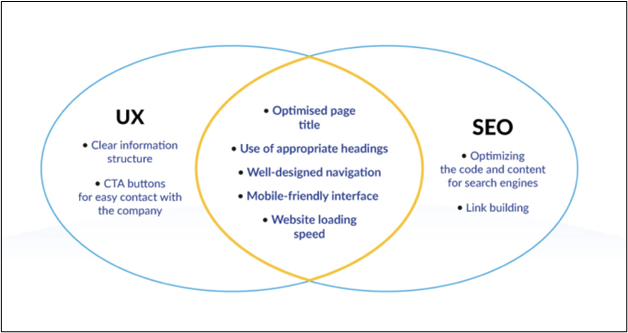
A slow-loading website can drive users away and negatively impact your SEO rankings. Optimizing your e-commerce website for speed by minimizing image sizes, reducing server response time, and leveraging browser caching can improve user experience and increase customer satisfaction.
4. Clear Call-to-Actions
Strong and clear call-to-action buttons can guide users towards desired actions, such as making a purchase or signing up for a newsletter. Using contrasting colors, compelling copy, and strategic placement can help draw attention to these buttons and improve conversion rates.
5. Accessibility
Ensuring that your e-commerce website is accessible to all users, including those with disabilities, is essential for creating an inclusive and user-friendly experience. Following web accessibility guidelines, such as providing alt text for images and using proper heading structures, can make your website more usable for everyone.
In conclusion, UI/UX design plays a critical role in the success of e-commerce websites. By focusing on responsive design, intuitive navigation, visual content, seamless checkout process, and personalization, businesses can create a user-friendly and engaging shopping experience for their customers. Following best practices like conducting user research, A/B testing, optimizing loading speed, using clear call-to-actions, and ensuring accessibility can help businesses stay ahead in the competitive e-commerce landscape.